C# - Run Application as Administrator Automatically
In this tutorial, you will learn how you can run your application as an administrator automatically using Visual C#2012.
Adding an Application Manifest
Start by opening your C# Windows forms application.
Right click on your project name in the solution explorer and add a new item…
Select an application manifest file:
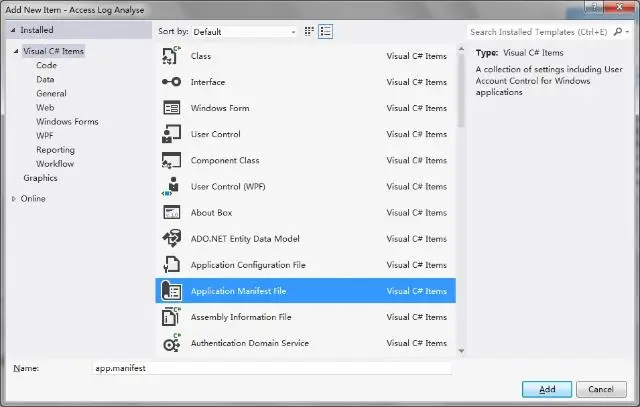
Click add.
Requiring Administrator Privileges
A new tab should open up, most of the codes in it are not important to us.
There is one line however that we need to change:
<requestedExecutionLevel level="asInvoker" uiAccess="false" />
Change asInvoker to requireAdministrator as follows:
<requestedExecutionLevel level="requireAdministrator" uiAccess="false" />
Building and Running
Save your application and rebuild it.
You can only open your executable when using Administrator rights.
The Disqus comment system is loading ...
If the message does not appear, please check your Disqus configuration.