Signing commits using GPG in Git
Git is cryptographically secure, but it’s not foolproof. If you take work from others on the internet and want to verify that commits are actually from a trusted source, Git can sign and verify work with GPG.
Generate a GPG Key
To sign anything, you first need GPG installed and a personal key. Check whether you already have one:
gpg --list-keys
/home/hzxie/.gnupg/pubring.gpg
------------------------------
pub   4096R/3DBF9592 2016-02-15
uid                  Haozhe Xie (GPG key for GitHub) <noreply@haozhexie.com>
sub   4096R/BFEB9969 2016-02-15
If the list is empty, generate a key. On GPG 2.1 and later, --full-generate-key lets you choose the algorithm and a 4096-bit RSA key, which GitHub recommends:
gpg --full-generate-key # "gpg --gen-key" on older versions
Tell Git to Sign with Your Key
Copy the ID of the key you want to use (here it is 3DBF9592) and point Git at it:
git config --global user.signingkey 3DBF9592
git config --global commit.gpgsign true   # sign every commit automatically
With commit.gpgsign enabled, Git signs your commits by default. You can also sign on demand with git commit -S, and sign a tag with git tag -s.
Add the Key to GitHub
Export the public key in ASCII-armored form:
gpg --armor --export 3DBF9592
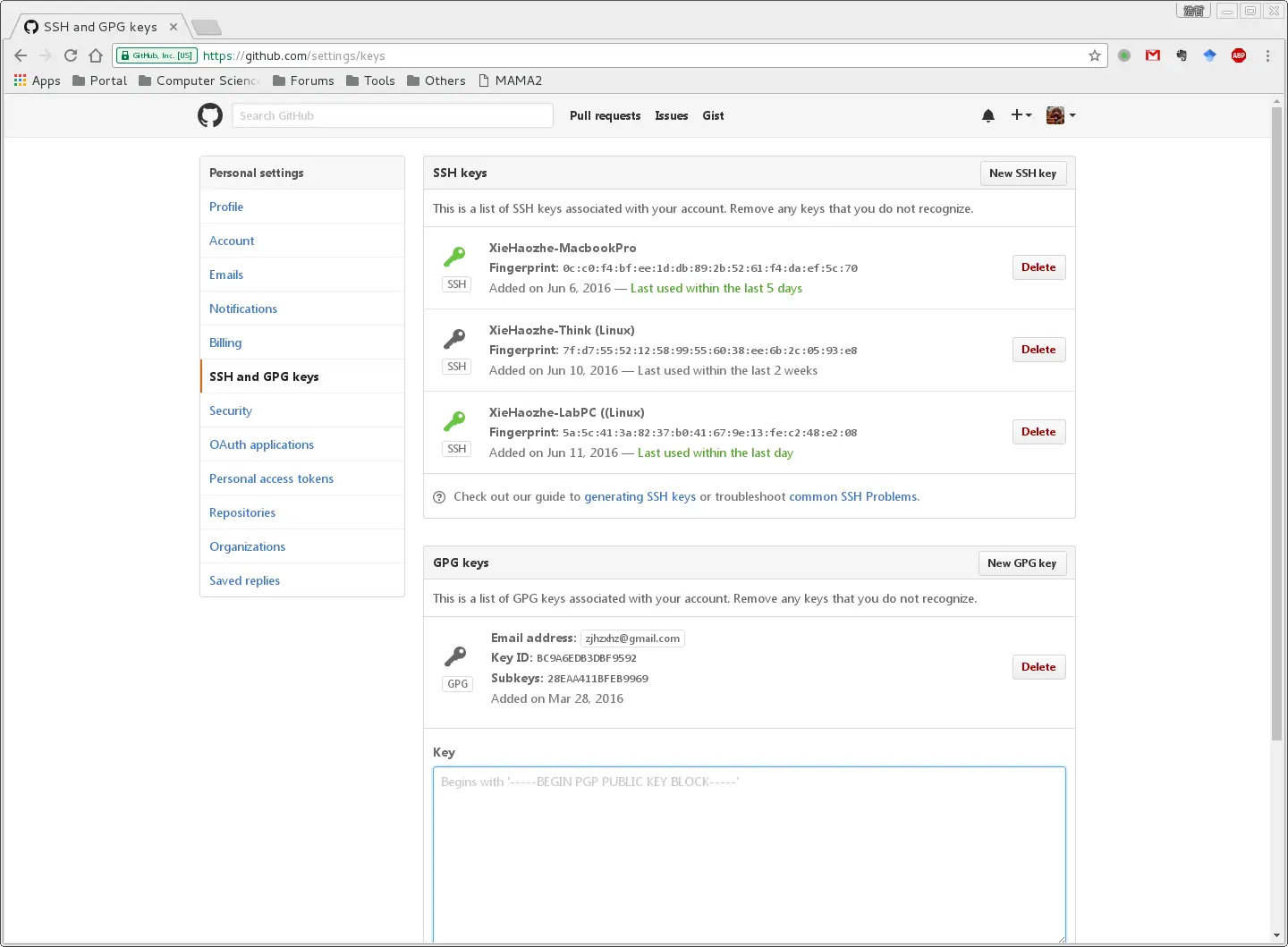
Copy everything from -----BEGIN PGP PUBLIC KEY BLOCK----- to -----END PGP PUBLIC KEY BLOCK-----, then paste it into your GitHub GPG keys settings.
Verify the Signature
After committing, check the signature locally:
git log --show-signature -1
Once the key is on your account, GitHub shows a green Verified badge next to every commit and tag whose signature it can match.
The Disqus comment system is loading ...
If the message does not appear, please check your Disqus configuration.